



Choose a platform
Overview
Introduction
Shotcut is a free, cross-platform, open-source video editing program that is suitable for both beginners and advanced users. With a wide range of features, Shotcut provides a versatile video editing platform, making it a popular choice among content creators. Let's take a look at the main features and answer common questions about Shotcut.
The developer behind Shotcut
Shotcut is developed by Meltytech, LLC, an independent studio that specializes in creating open source multimedia software. Meltytech aims to provide users with affordable and powerful video editing tools without the limitations of proprietary software.
Key Features
- Cross-platform compatibility: Shotcut is compatible with Windows, macOS and Linux, giving users the flexibility to choose their operating system.
- Wide format support: The program supports a variety of audio and video formats, allowing users to work with a variety of media files.
- Nonlinear editing: Shotcut uses a non-linear editing scheme that allows users to freely position and edit clips on the timeline.
- Advanced editing tools: From color correction and sound editing to a host of video effects, Shotcut provides advanced editing tools for users of all skill levels.
- Customizable Interface: Shotcut offers a customizable interface, allowing users to arrange panels and tools according to their preferences.
User-friendly interface and experience
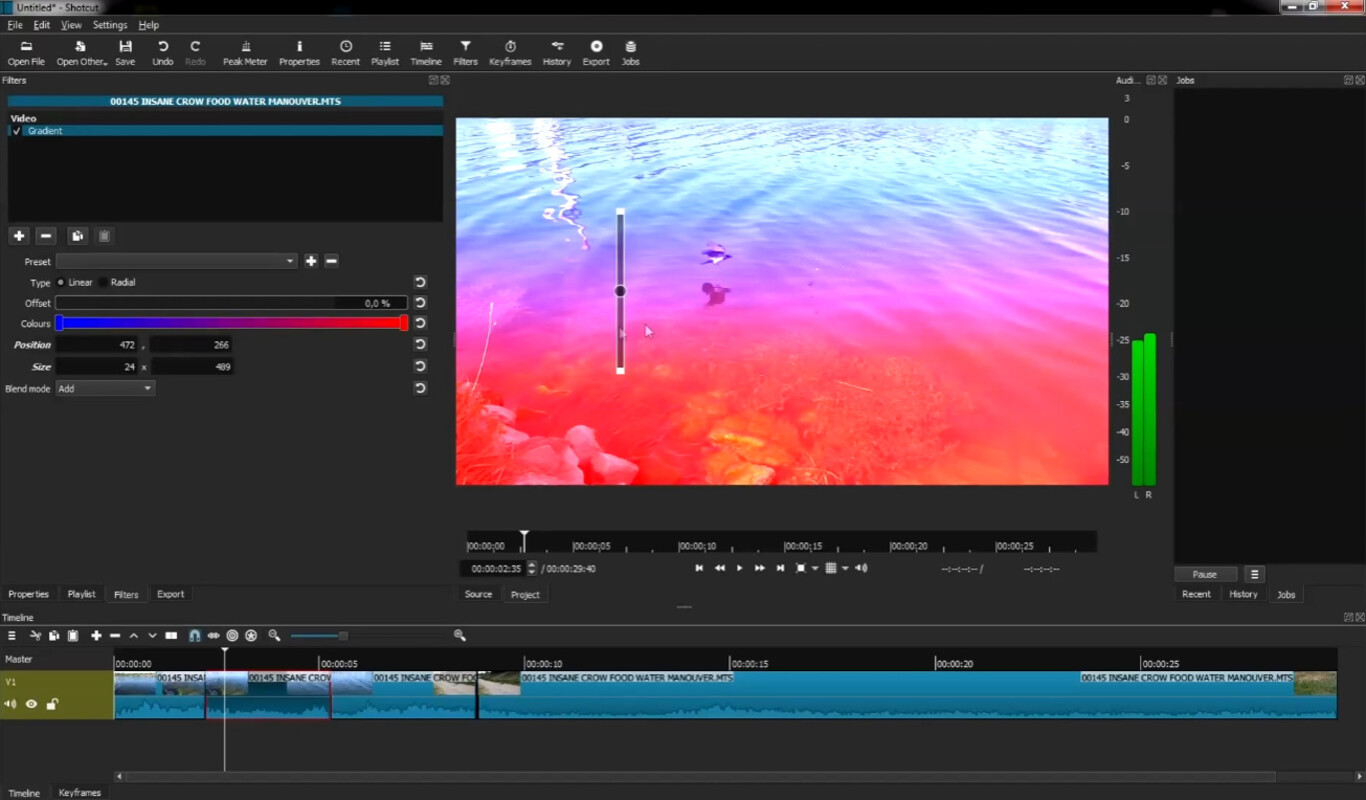
Despite its advanced features, Shotcut retains a user-friendly interface. The layout is designed to facilitate intuitive editing, making it accessible to both novice and experienced video editors.
Conclusion
Shotcut, developed by Meltytech, LLC, is a versatile and powerful video editing solution. Its combination of advanced features, cross-platform compatibility and user-friendly interface makes it a valuable tool for both novice and experienced video editors. As an open source program, Shotcut also embodies the spirit of collaborative development, allowing users to contribute to its improvement. Whether you're editing video for personal use or for professional projects, Shotcut provides the tools you need to bring your creative vision to life.
Features
Pros
- Free and Open Source
- Cross-Platform
- Advanced Editing Features
- Wide Format Support
Cons
- Limited Built-in Effects
Screenshots
Ask a Question
What kind of projects is Shotcut suitable for?
Suitable for a wide range of video projects, from simple home video to more complex professional editing tasks.
Can I export my projects to different formats with Shotcut?
Yes, Shotcut supports exporting projects to a variety of audio and video formats, giving users flexibility in output.
Is Shotcut suitable for professional video editing?
Yes, due to its wide range of features, Shotcut is used by both regular users and professionals for video editing.
Similar programs
-
 Scratch Scratch Foundation
5 (1) Free 13 917
Windows, Mac OS, Android
View Scratch -
 Yandex Browser Yandex LCC
3.3 (8) Free 669 048
Windows, Mac OS, iOS, Android, Linux
View Yandex Browser -
 FireAlpaca Firealpaca Group
5 (1) Free 85 737
Windows, Mac OS
View FireAlpaca


